Full Digital Sound system
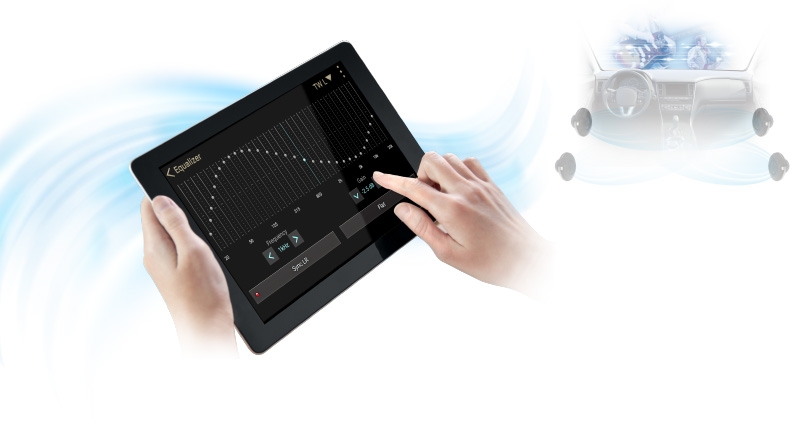 No more computers needed; you can now fine-tune your car audio from the palm of your hand.
Tune the Z3 Full Digital Sound Processor with one application: Z-tune


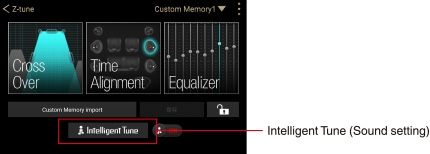
Top Menu screen
A graphical display makes the information easy to understand with this all-purpose sound setup application.
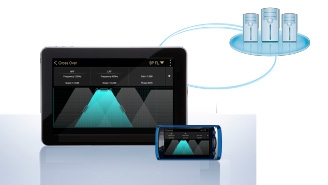
The application can be downloaded from the App Store℠ and the Google Play™ Store. There is no need to bring your laptop with you.
Intuitive, touch-based tuning
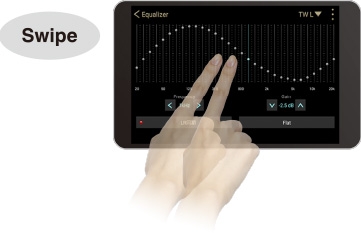
<31-band Equaliser>
Trace with your fingers to create a target curve.
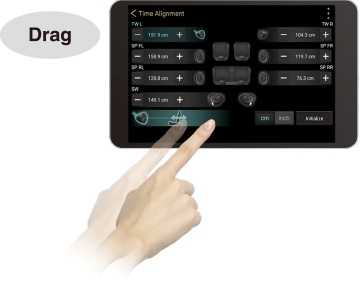
<Time Alignment>
Drag to set the intervals.
How to access the Z-tune application
1. Download the application
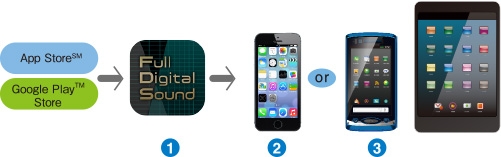
 Z-tune application
 iOS® device
 Android™ device
2. After downloading, connect your device to the Z3 Sound Processor
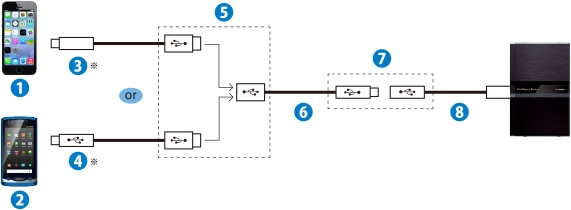
* Cables sold separately.
iOS® device
Android™ device
Lightning to USB cable (Supplied with iPhone®)*
 Micro USB cable*
 USB
USB
 USB cable B (Supplied with Z3)
 Micro USB
 USB cable A (Supplied with Z3)
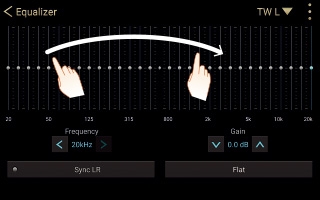
Trace the screen during 31-band display to initialize the equaliser plot.
Equalise your Onboard Sound to an Unprecedented Level of Detail with L/R Independent 31-band Equaliser
Fine tune each channel using the built-in L/R independent 31-band Equaliser, which is equipped with a linear phase FIR filter that removes phase distortion. Clarion's proprietary sound technology greatly reduces interference between bandwidths, allowing for intuitive sound equalisation that produces the exact balance you're looking for.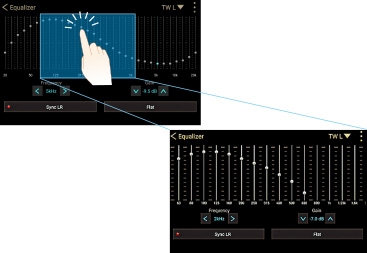
Double tap to zoom in for more precise fine-tuning
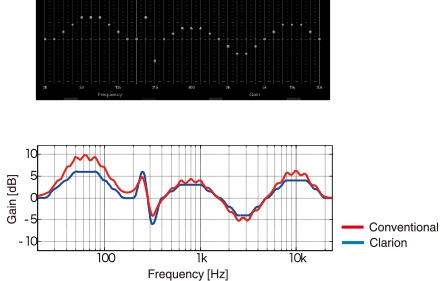
Get the exact frequency properties that you set up on the screen
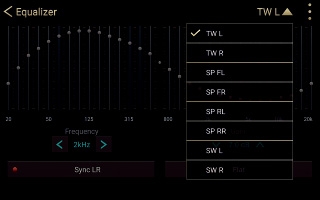
L/R up to 8 channels can be independently set
<Equaliser specification>
|
Tweeter L/R, Front speaker L/R Rear speaker L/R, Subwoofer L/R Up to 8 channels can be independently set. |
31-band Equaliser Frequency : 20Hz ~ 20kHz (1/3oct step) Gain : -12dB ~ +12dB (0.5dB step) FIR filter configuration |
|---|
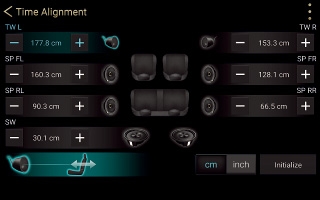
Localize your Sound with Ease and with Pinpoint Accuracy Using Time Alignment
<Time Alignment specification>
|
Tweeter L/R, Front speaker L/R Rear speaker L/R, Subwoofer L/R Up to 8 channels can be independently tuned. |
Delay adjustment: 0cm ~ 525cm (0.7cm step) |
|---|---|
| Mute | 8 individual channels mute ON / OFF setting |
Draw out the Maximum Potential of each Unit with Crossover
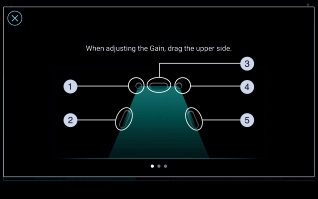
Tap the point you want to set and adjust each item.
HPF slope
HPF frequency
Gain
LPF slope
LPF frequency
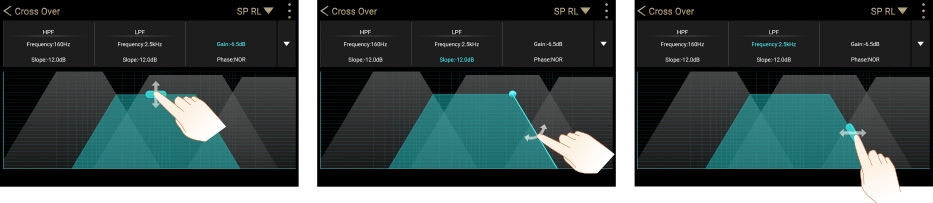
Set up everything simply by tapping and dragging.
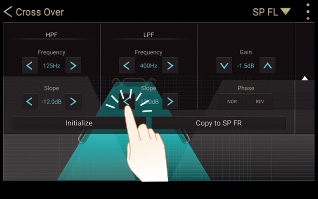
Adjustment of numerical values enables subtle control.
<Crossover specification>
| Tweeter L/R (Digital signal) |
HPF frequency : 315Hz ~ 16kHz (1/3oct step) Slope : -72dB/oct ~ 0dB/oct (6dB step) Gain : -24dB ~ 0dB (0.5dB step) Phase : NOR/REV |
|---|---|
| Front speaker L/R (Digital signal) |
LPF frequency : 250Hz ~ 16kHz (1/3oct step) Slope : -72dB/oct ~ 0dB/oct (6dB step) Gain : -24dB ~ 0dB (0.5dB step) Phase : NOR/REV |
|
HPF frequency : 25Hz ~ 10kHz (1/3oct step) Slope : -72dB/oct ~ 0dB/oct (6dB step) Gain : -24dB ~ 0dB (0.5dB step) Phase : NOR/REV |
|
|
Rear speaker L/R (Digital signal/Analogue signal) |
LPF frequency : 250Hz ~ 16kHz (1/3oct step) Slope : -72dB/oct ~ 0dB/oct (6dB step) Gain : -24dB ~ 0dB (0.5dB step) Phase : NOR/REV |
|
HPF frequency : 25Hz ~ 10kHz (1/3oct step) Slope : -72dB/oct ~ 0dB/oct (6dB step) Gain : -24dB ~ 0dB (0.5dB step) Phase : NOR/REV |
|
|
Subwoofer L/R (Digital signal/Analogue signal) |
LPF frequency : 25Hz ~ 250Hz (1/3oct step) Slope : -72dB/oct ~ 0dB/oct (6dB step) Gain : -24dB ~ 0dB (0.5dB step) Phase : NOR/REV |
|
HPF frequency : 20Hz ~ 80Hz (1/3oct step) Slope : -72dB/oct ~ 0dB/oct (6dB step) Gain : -24dB ~ 0dB (0.5dB step) Phase : NOR/REV |
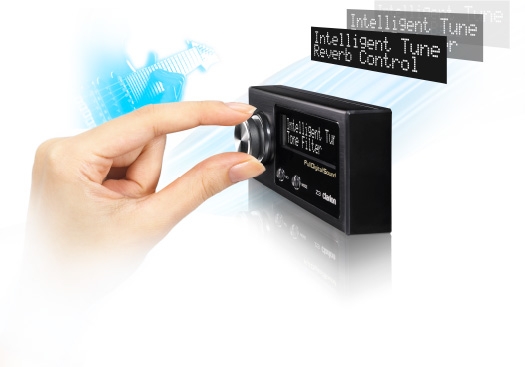
You can set it using the Commander (Supplied with Z3) or the Z-tune application
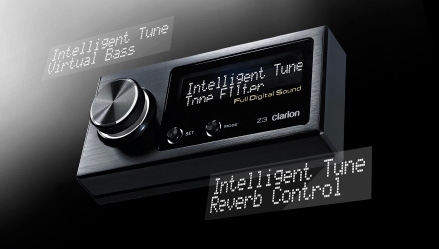
Setting with the Commander
The display's excellent readability makes it easy to see information during the day or at night.
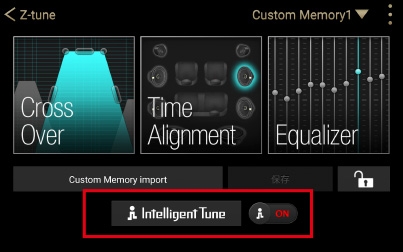
Setting with a tablet or smartphone
Settings can be made using an intuitive touch-based interface.
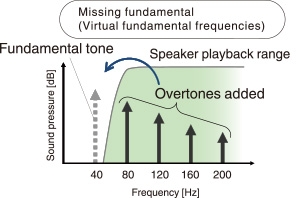
Virtual Bass Reproduces Dynamic Sound Full of Powerful Lows
Converting Compressed Audio Source into High-Quality Sound with Sound Restorer
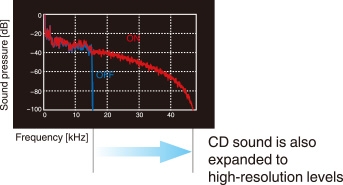
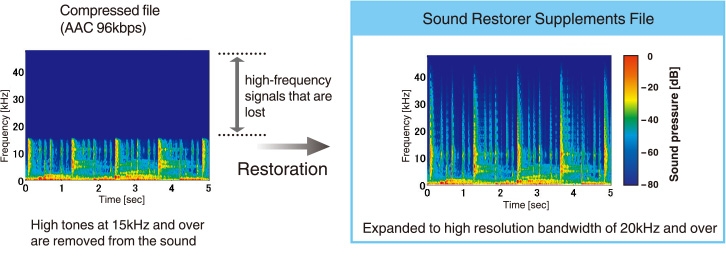
A new sound technology that processes signals by bandwidth
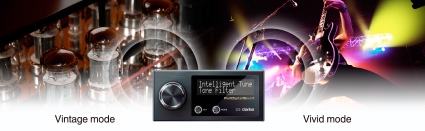
Create the Sound You Want with Tone Filter
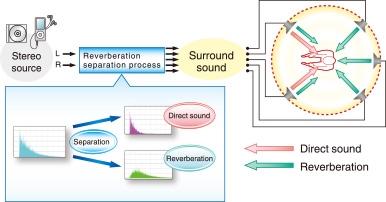
Produce a Rich, Natural Surround Sound with Reverberant Sound Control